

What you need to know:
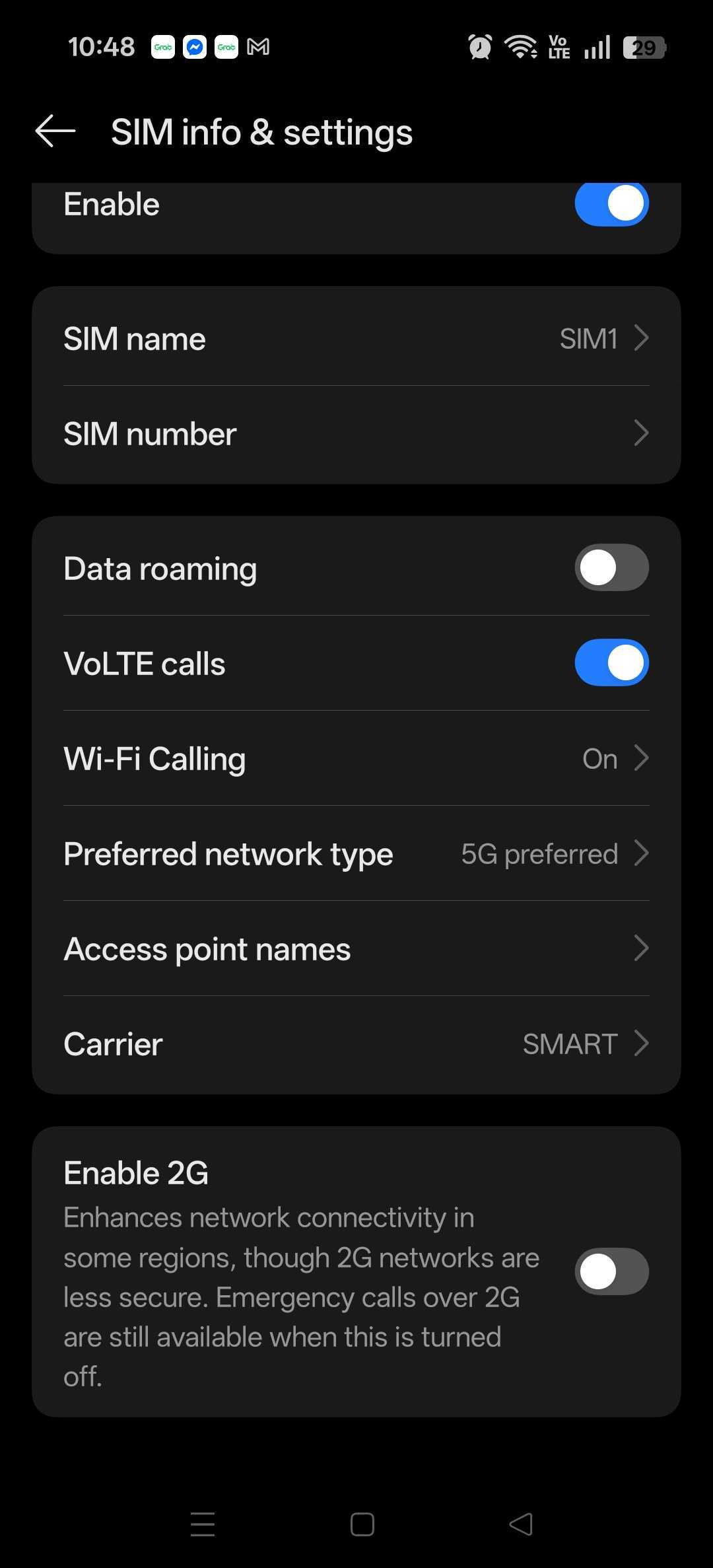
- Android users in the Philippines can drastically reduce scam texts by disabling 2G in their phone settings (Settings > Mobile Network > SIM > disable “Enable 2G”). iPhone users do not have a direct toggle and must use “Lockdown Mode,” which is much more restrictive.
- Scammers use portable “fake cell towers” (IMSI catchers) that broadcast 2G signals. When your phone connects to these fake towers, scammers bypass telco fraud filters to send spoofed messages that appear to be from banks, GCash, or the government.
- This trick only stops “location-based” scams sent via fake towers; it will not stop traditional spam sent to your specific mobile number. A permanent fix requires the government to shut down 2G/3G networks entirely, which is currently difficult due to older ATMs and rural connectivity needs.
We’ve all gotten one – an official-looking message on our phone that looks and feels legit. Sometimes it’s from a brand or telco telling you about unpaid dues, sometimes it’s a bank telling you you’ve been charged a crazy amount, and recently it’s the government telling you that you’ve been caught in a traffic violation. But one thing is for sure: they are all scam messages that are designed to steal your data, information, and most of the time, money. However, there is one simple trick to stop these kinds of messages.
How to stop scam texts in the Philippines on Android
- The solution is simple. If you’re on Android, go to Settings > Mobile Network > The SIM you’re using > and uncheck Enable 2G. That’s it.
Unfortunately, there is no solution like this for iPhones – the closest that you can hope for is enabling “Lockdown Mode“. While Lockdown Mode does disable 2G, it also disables 3G, as well as makes opening websites slower and introduces other, disruptive restrictions to your phone. You can read more about it here.
I tried this on my phone, and it cut down the number of scam texts to almost zero. Sure, I still get texts from local phone numbers and other weird places that managed to get my number, but scam texts that impersonate Smart, Globe, GCash, banks, and others have disappeared.
Why?
How it works
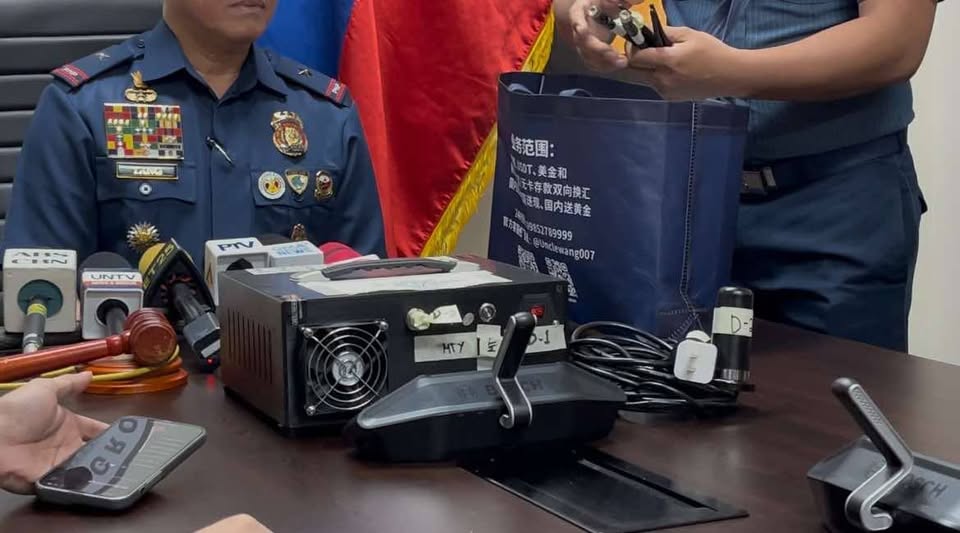
Well, one of the reasons why you get these kinds of texts is that scammers utilize international mobile subscriber identity (IMSI) catchers that work on a limited radius on the 2G band. So instead of your phone connecting to legitimate cell towers from Globe, Smart, or DITO, your phone latches on to these “fake cell towers” when they’re in range, which bypass fraud filters that are built into the telco’s service.
Turning off your phone’s ability to accept 2G signals means that your phone does not latch onto these “fake towers” when you’re driving or moving around the metro, so you no longer get these fake messages.
To be clear, turning this feature on WILL NOT STOP spam messages if they know your number. It will only stop scam texts that are sent via fake cell towers. For that, you can report those spam messages to the authorities.
To really stop these kinds of messages, the government needs to fully shut down 2G/3G since 4G/LTE is a more secure technology. Unfortunately, it’s not that simple – there are still a lot of people relying on the technology to communicate, especially in provinces and rural areas. Many PoS (point-of-sale) terminals, ATMs, and other banking services still rely on 2G/3G to transmit data to banks, which makes simply shutting the band off problematic.
Until that happens, this is your best bet to beat those scammers.








































1 Comment