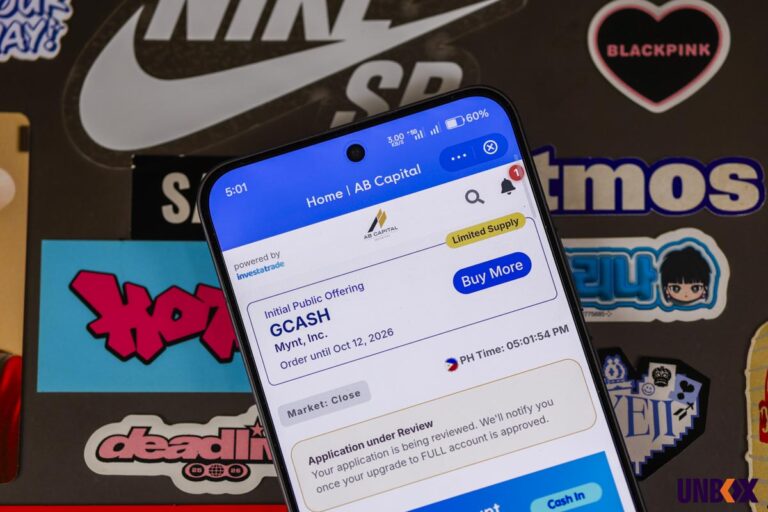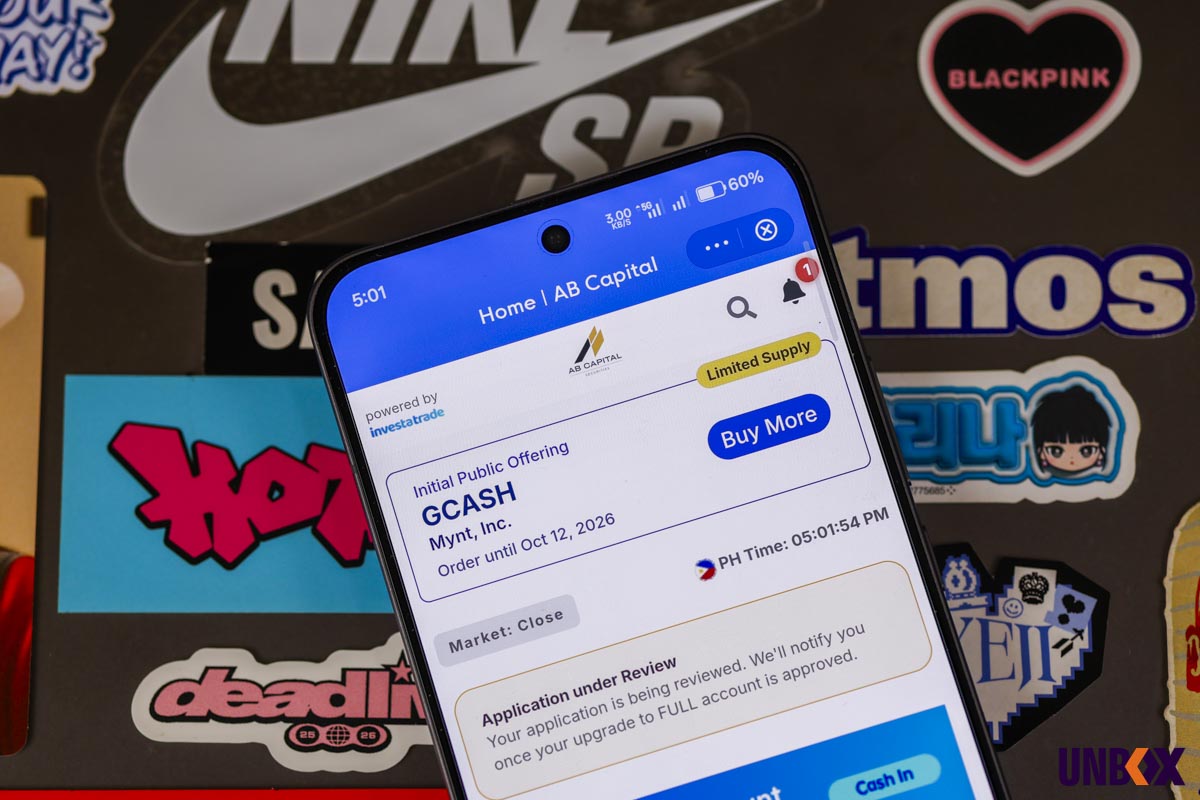
The reservation for GCash IPO shares went live yesterday, and GCash themselves is making it accessible to all its users via GStocks PH. The whole process is easy to understand; in fact, I was able to reserve 200 GCash IPO shares in just five minutes.
If you already have a verified GCash account, here’s the process of purchasing GCash IPO shares via GStocks PH:
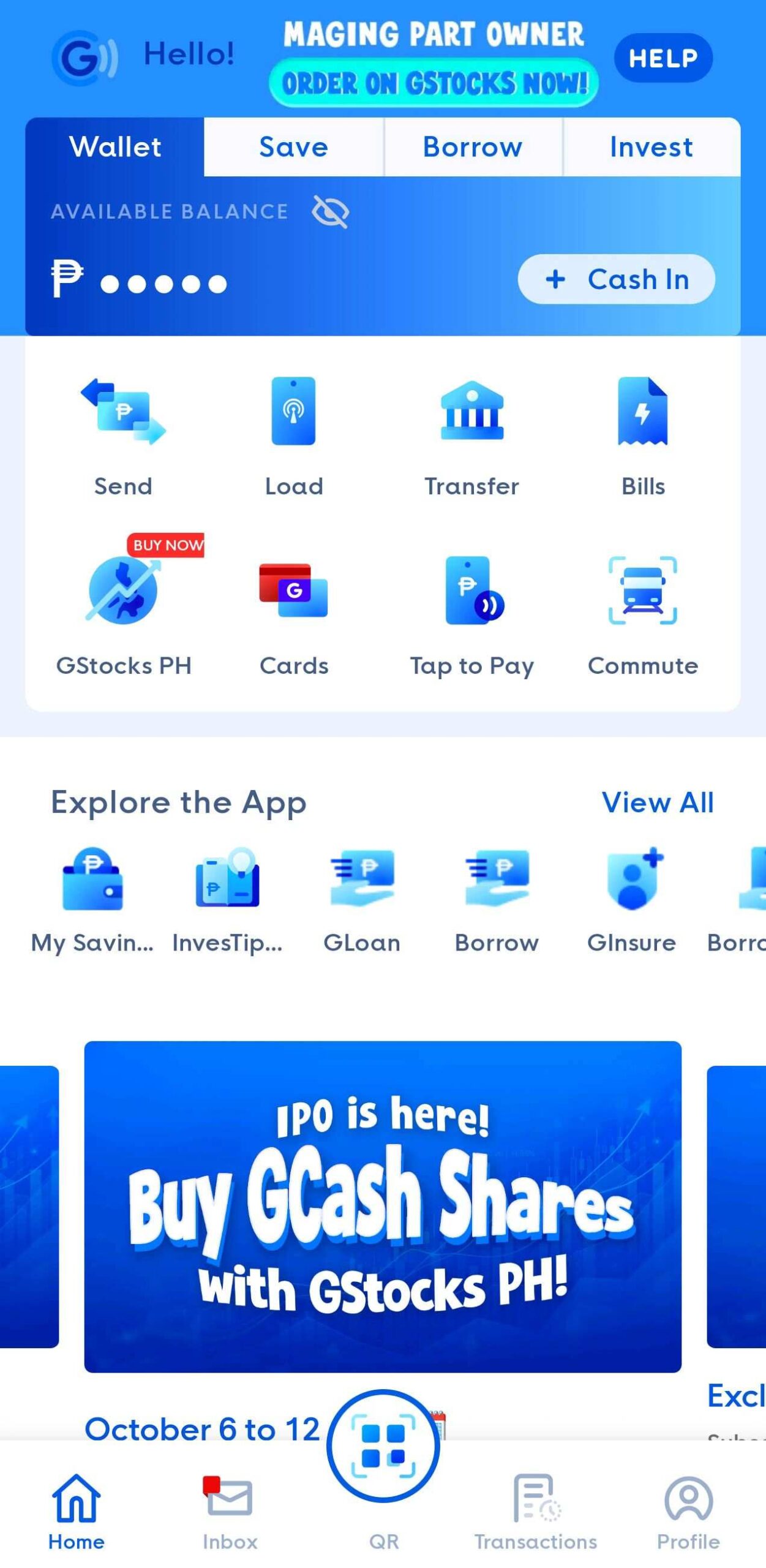
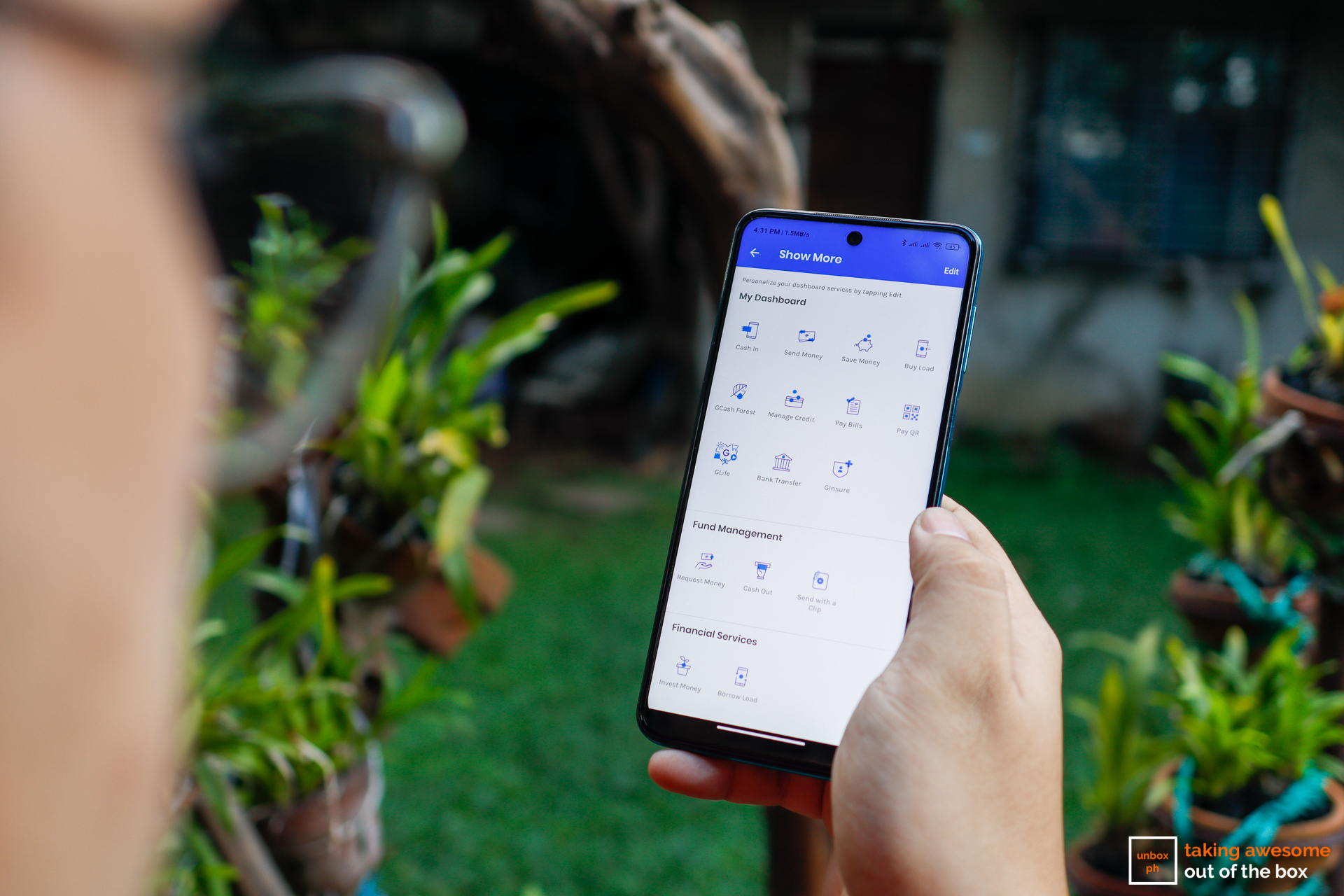
Click on the GStocks PH icon on the homepage. GCash intentionally made GStocks PH available on the homepage of its app, and that’s proof that they want everyone to invest on their much-awaited IPO.
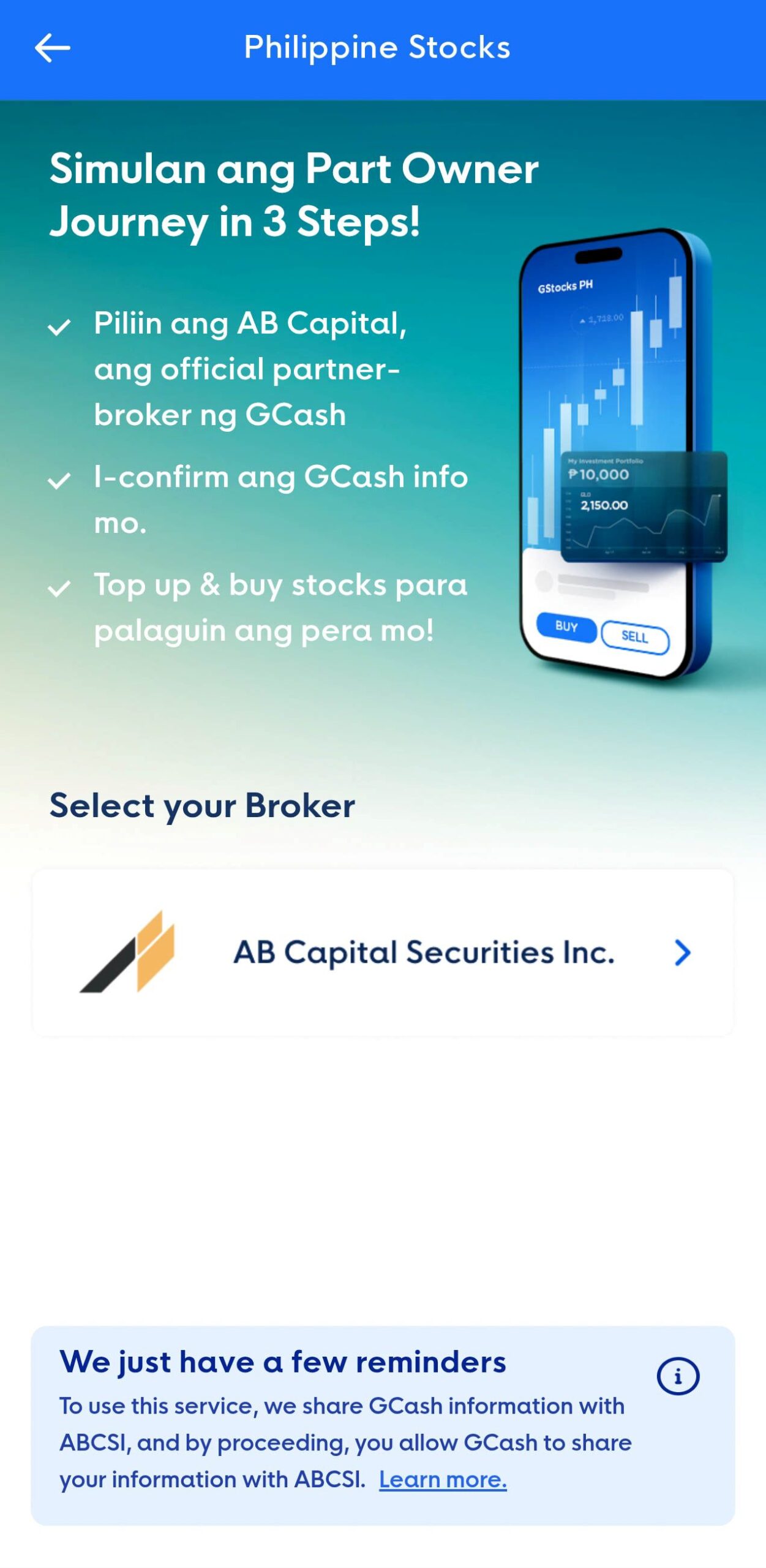
Create an account. GStocks PH partnered with AB Capital Securities to help GCash users easily create an account so that they can start investing in stocks. To streamline the process, what AB Capital Securities does is it obtains the information based on your verified GCash profile in order to create an account. This process takes a few minutes, and once successful, you will be brought to the homepage of GStocks PH.
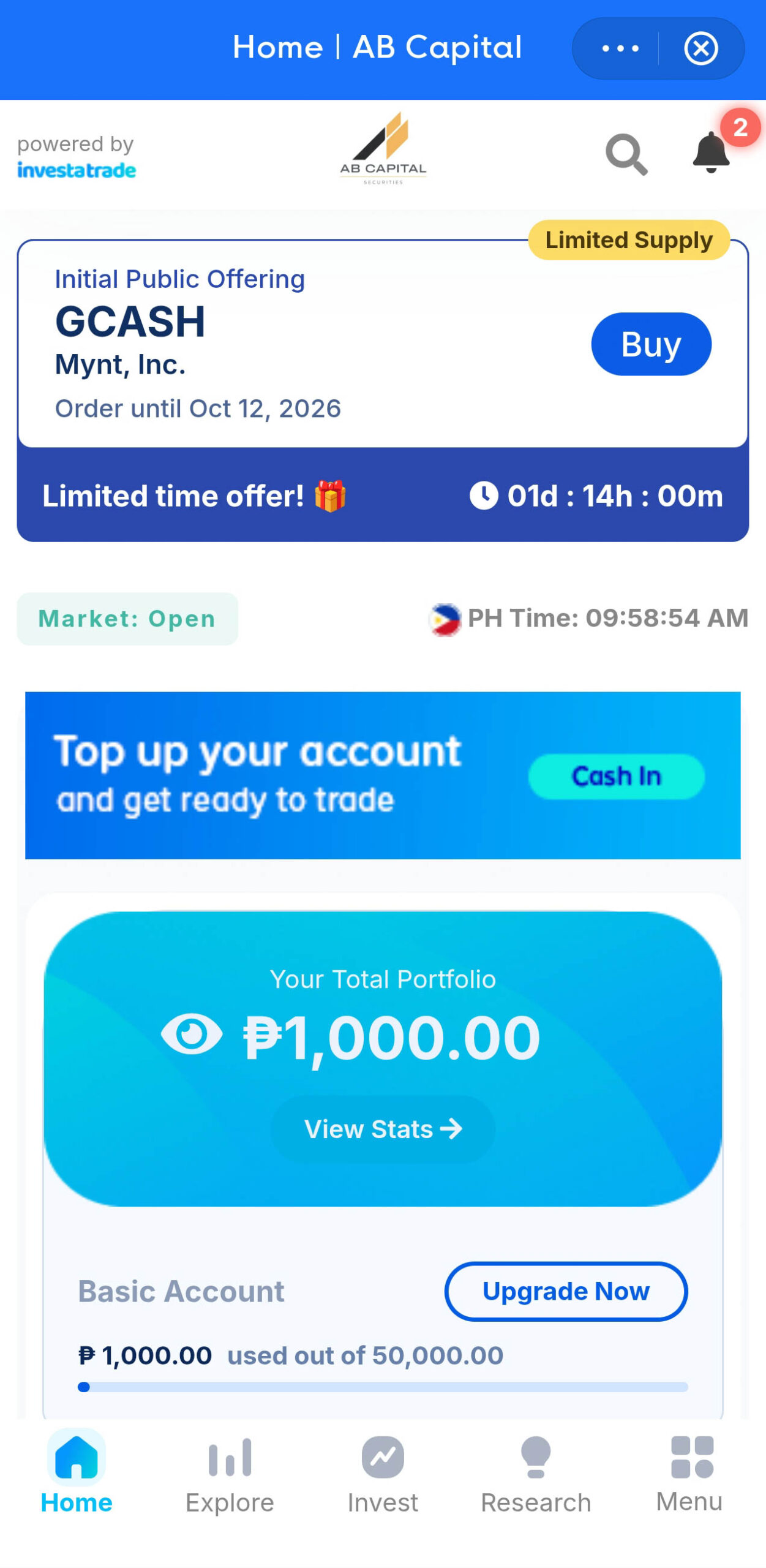
Click on the GCash IPO banner. GStocks PH is promoting the GCash IPO shares on its homepage, so simply click on the banner to start investing. You can reserve GCash IPO shares until October 12, so you’ll need to act quickly if you’re interested—especially since there’s a limit on the number of shares they will be offering to the public.
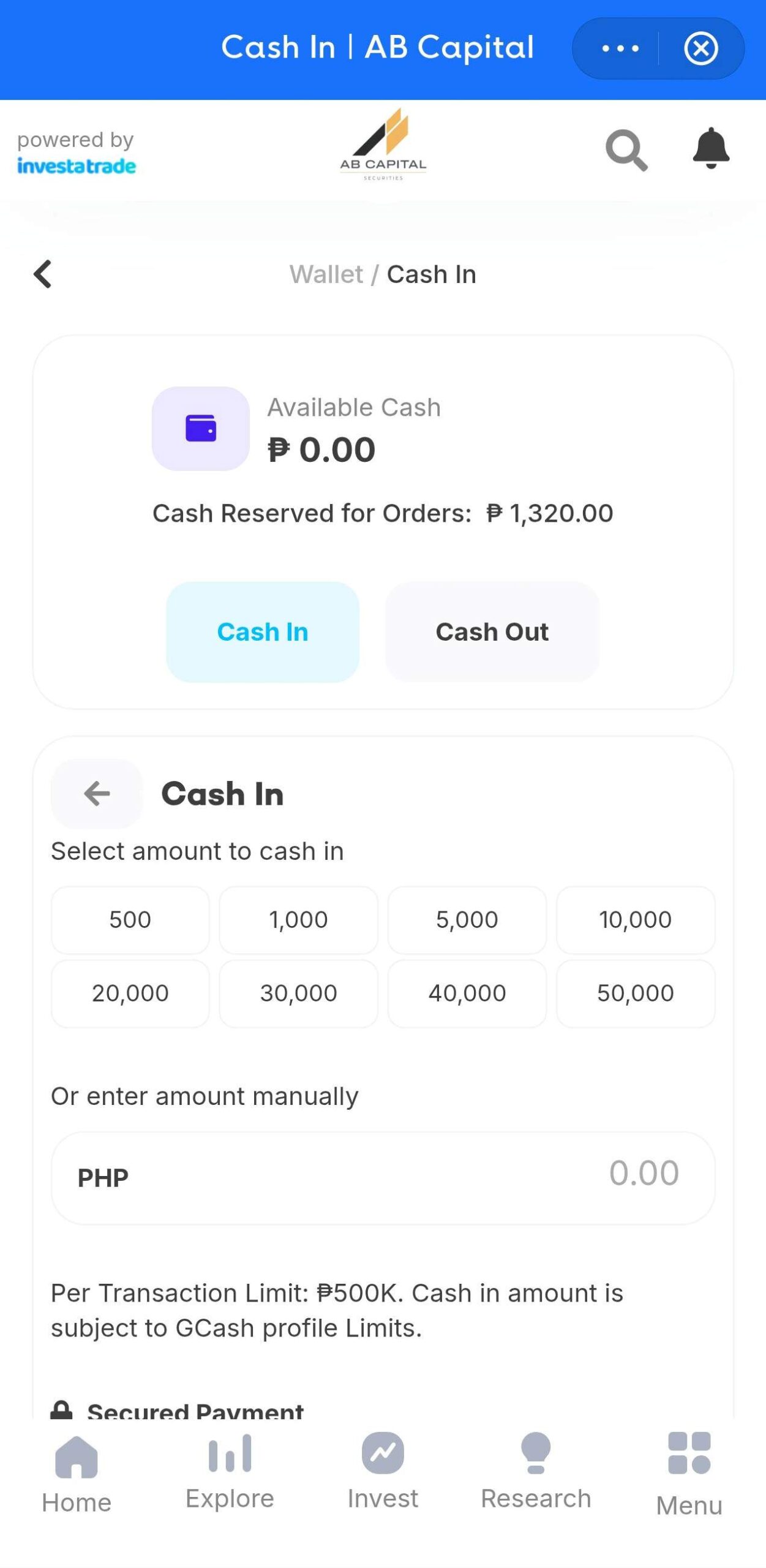
Before you start, you’ll need to top up your GStocks PH account via GCash. My recommendation is that you top up at least Php 1,000 to start investing in GStocks PH. The cash-in limit is the same as your GCash limits—in my case, it’s Php 500,000.
The basic GStocks PH account allows you to put up to Php 50,000. To upgrade your account, you will need to give additional information, like your TIN number and submit your application form. Once completed, GStocks PH will inform you once your account is approved for upgrading.
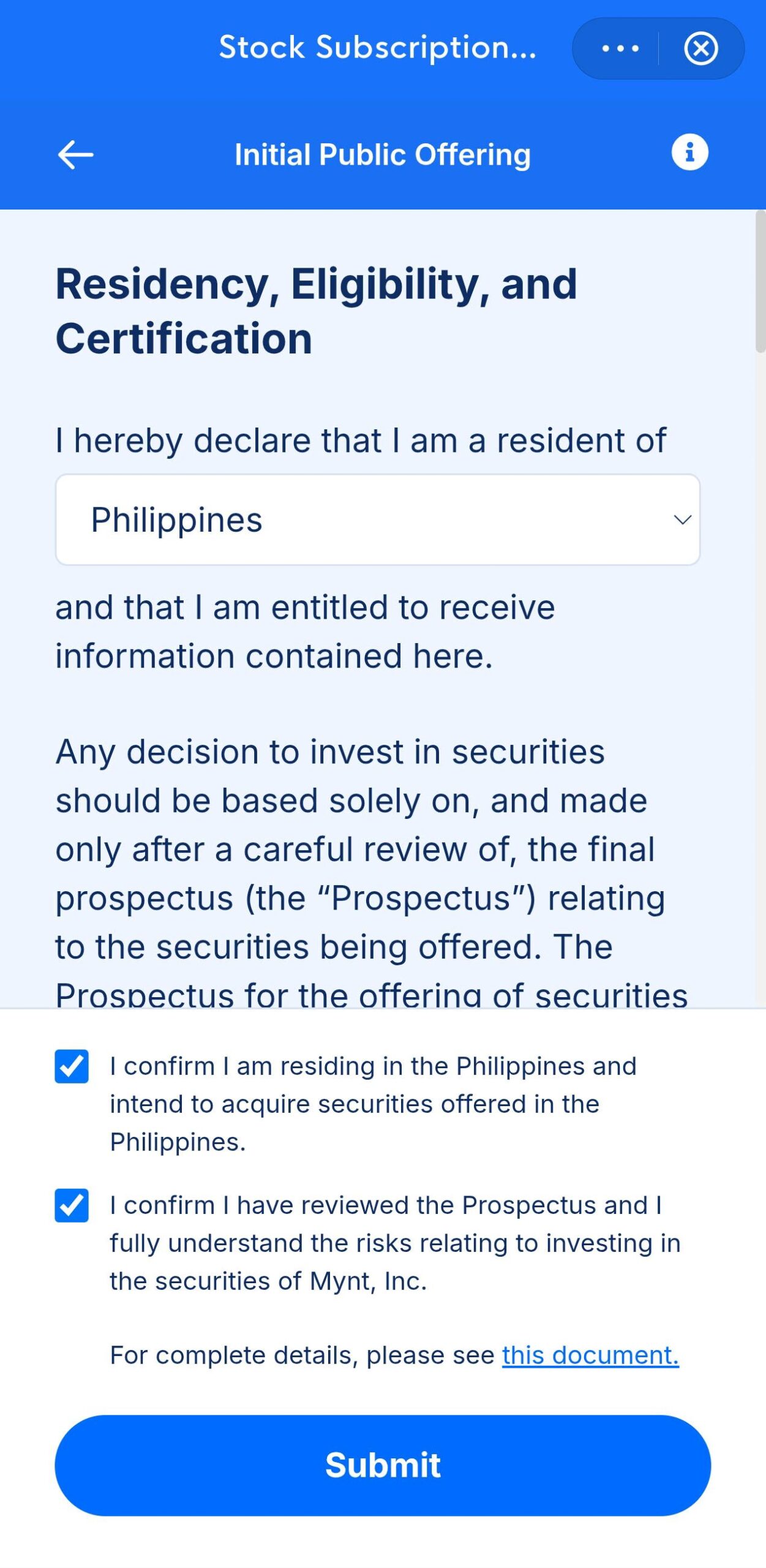
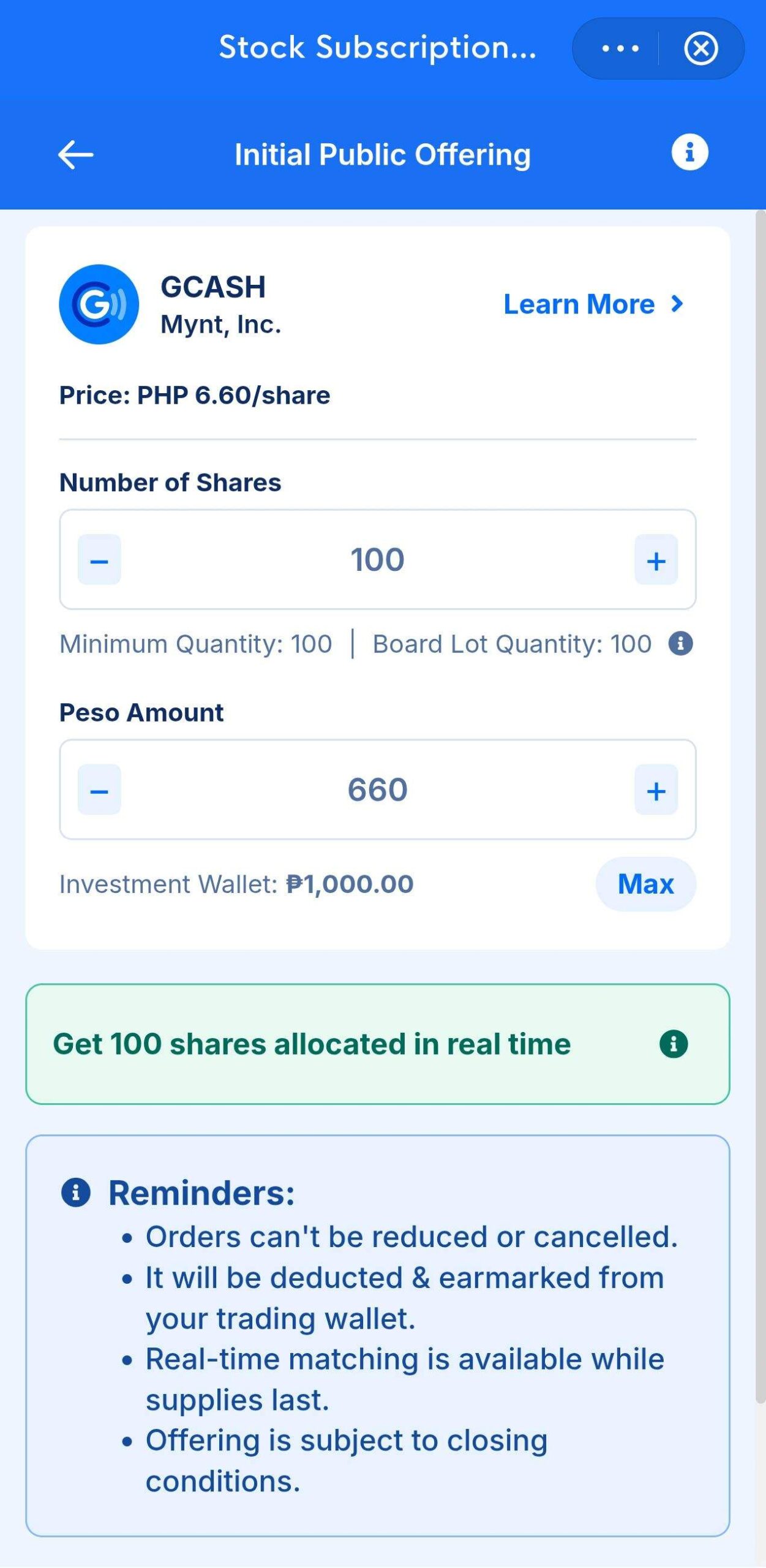
Agree to the terms and conditions and start making your investment. Before you invest, do note that you will need to invest at least 100 shares and that you can increase your investment in increments of 100 shares. At Php 6.60 per share, the minimum investment you can make is Php 660. In my case, I wanted to invest 200 shares, so the amount I have to pay is Php 1,320.
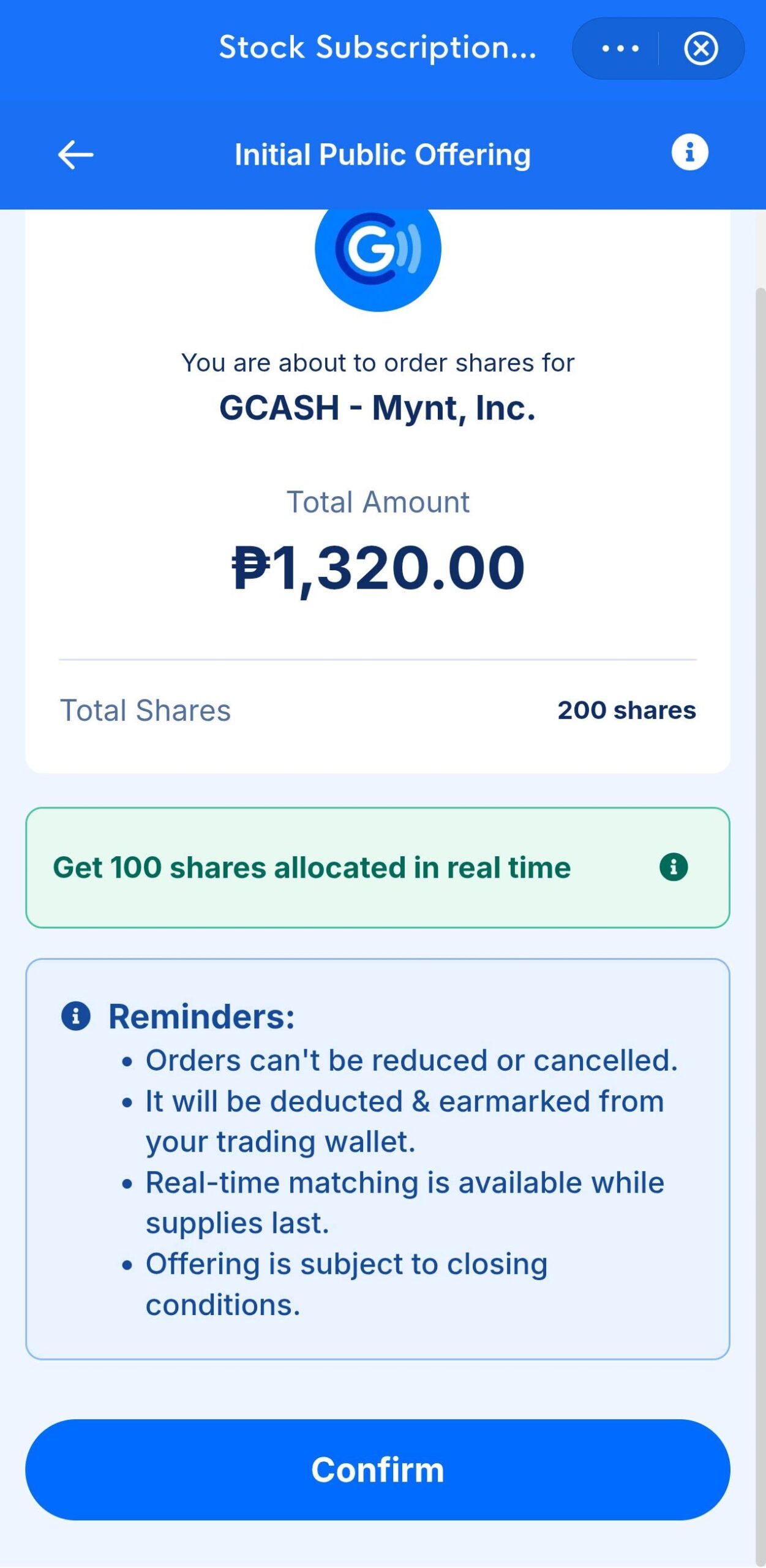
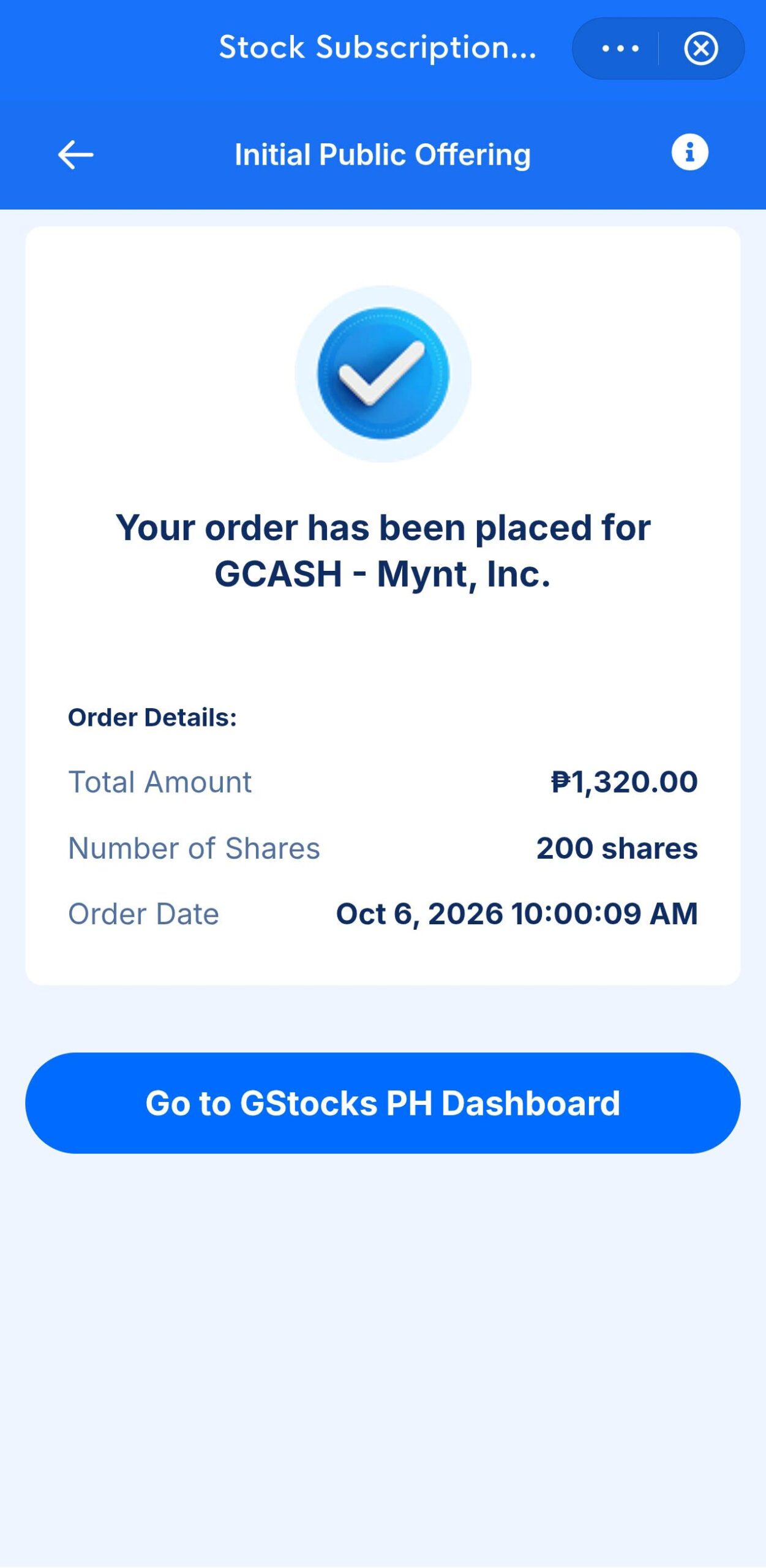
Confirm your placement. Make sure to double-check the details of your placement before clicking confirm. It took GStocks PH just a few minutes to confirm my reservation of 200 shares.
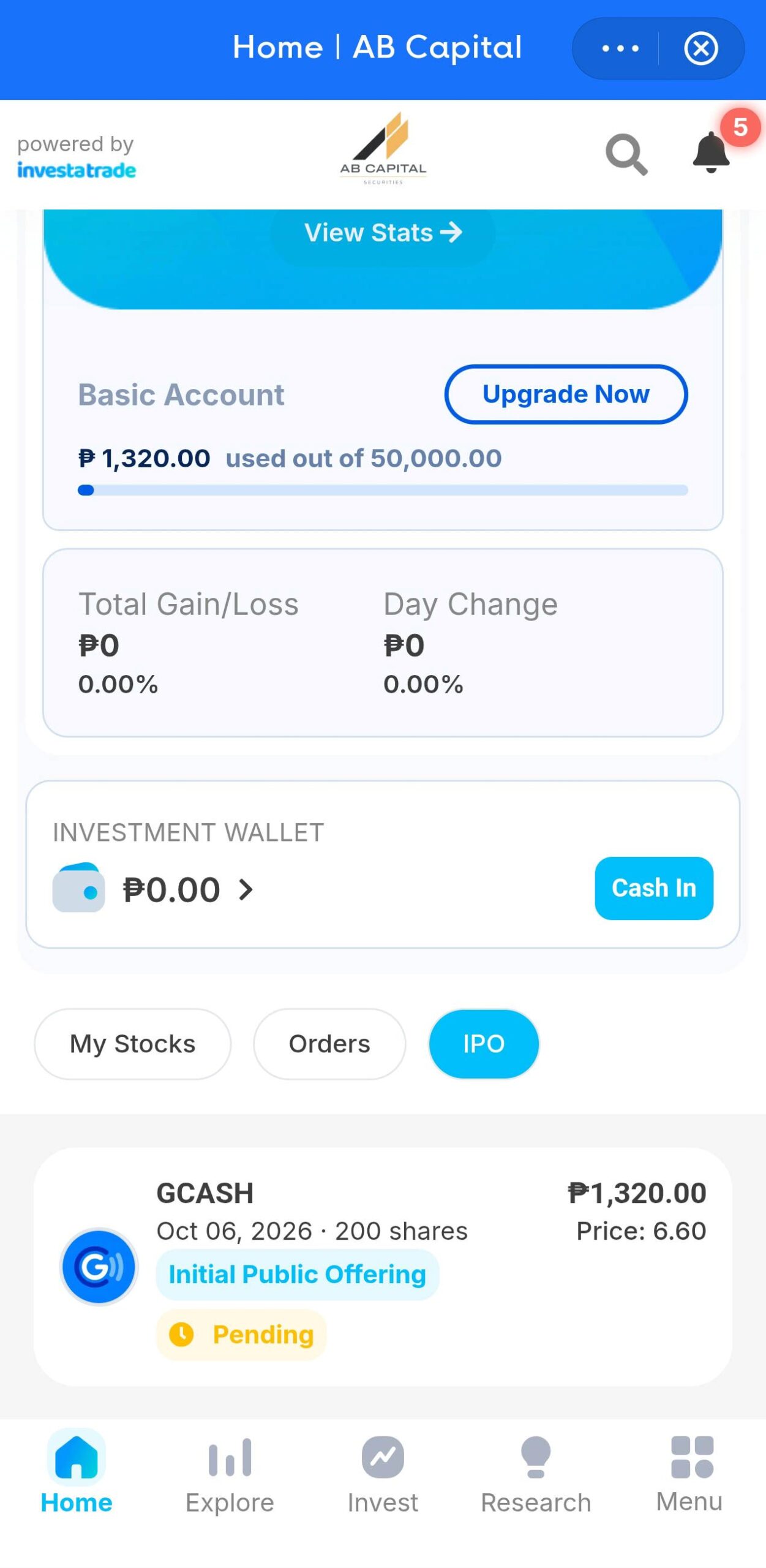
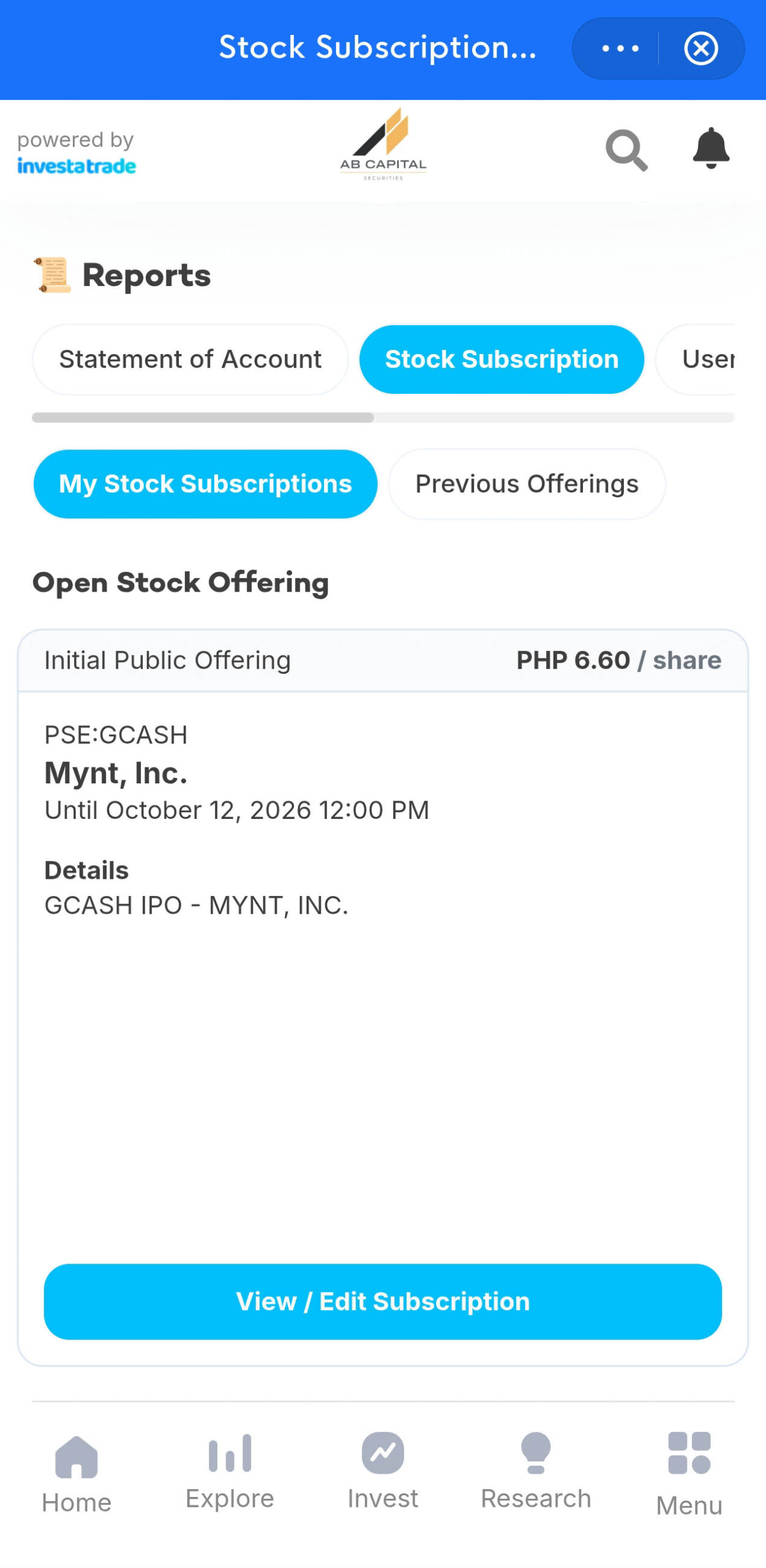
View your reservation on the homepage. You can view your GCash IPO placement on the homepage of GStocks PH under the IPO tab.
You have until October 12 to edit your subscription. Do note that you can only add more shares (in increments of 100)—and that you cannot reduce or cancel your order. Also note that the offering is subject to closing conditions, which means there might be changes to your order after October 12.
That sums up how you invest in GCash IPO shares with GStocks PH. The process also applies to other stocks that you’re interested in investing in.