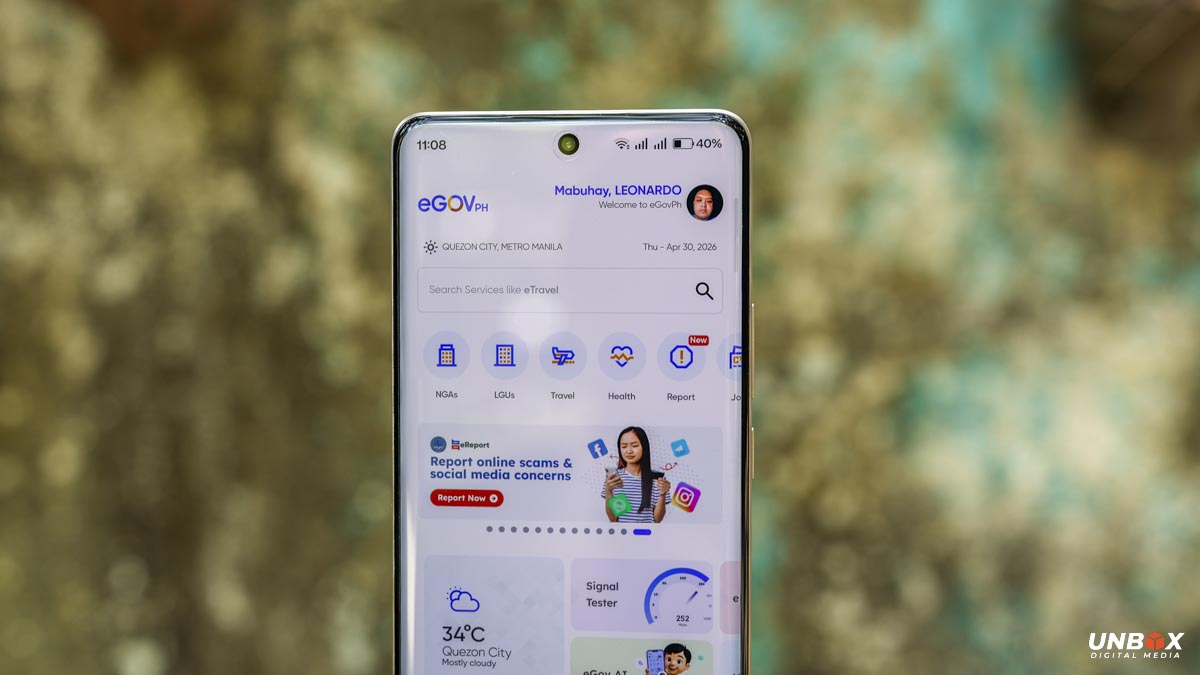
The eGovPH app has a lot of potential in making government transactions more convenient, and it recently announced that you can apply for an NBI Clearance through the app.
The government claims that the whole process only takes five minutes, and it seems plausible after we gave it a try. Here’s a step-by-step guide on how to apply for an NBI Clearance through the eGovPH app:

Search for NBI Clearance in the eGovPH app. You should be able to find the NBI Clearance option once you search for it in the eGovPH app. Before you proceed, the portal will ask you to verify information based on your previous NBI clearance. If you don’t have any information with the NBI yet, you will be prompted to input all the important information.
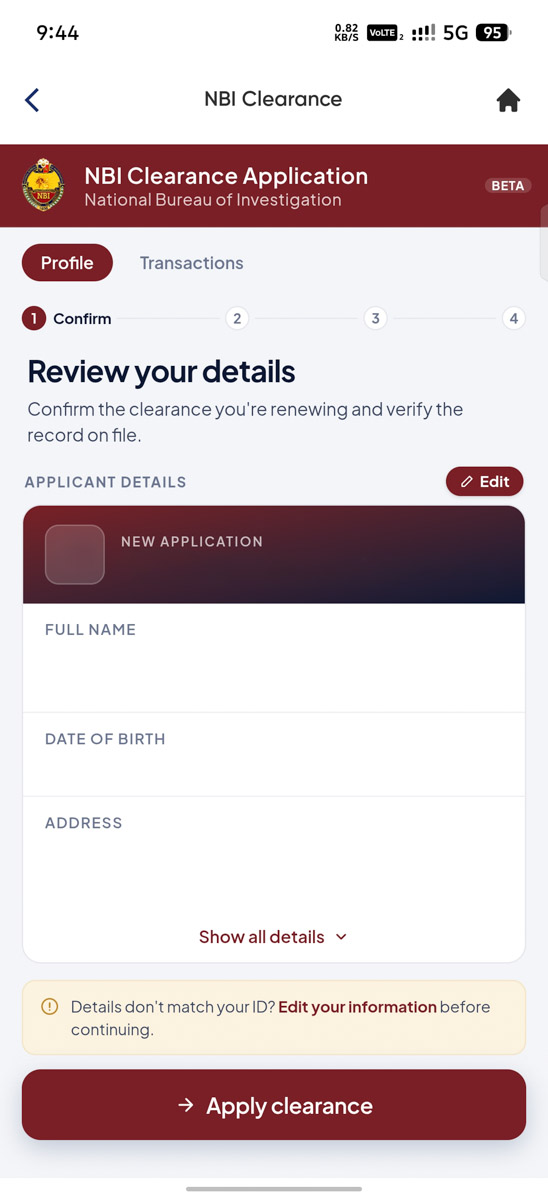
Confirm your details. The NBI Clearance Portal will let you view all the information you have inputted. Make sure all of the details are correct before proceeding to apply for an NBI Clearance.
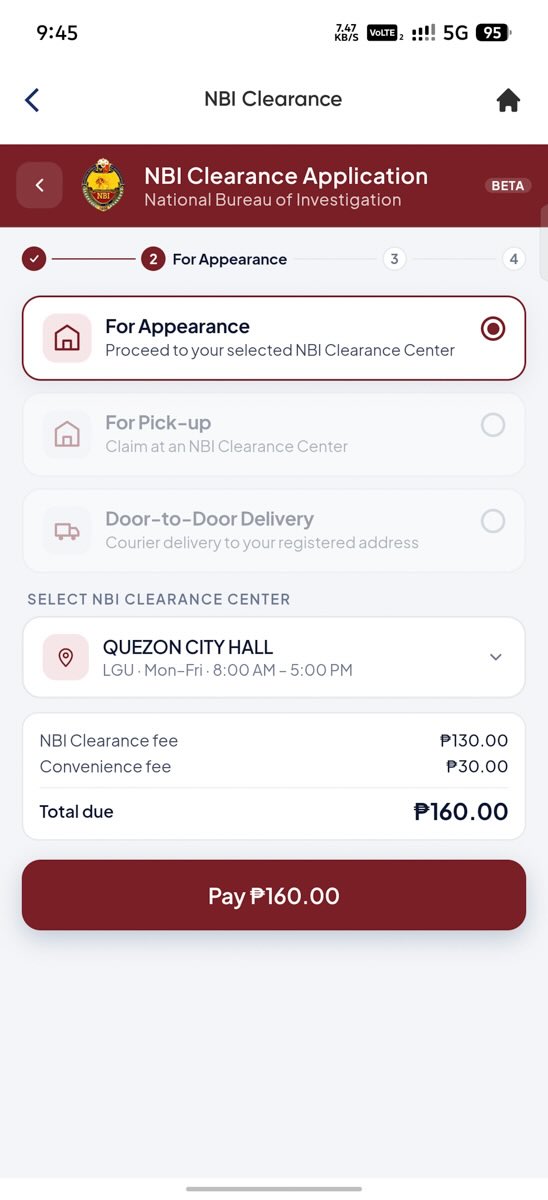
Choose where to have your NBI appearance. While there are options for picking up your NBI Clearance at the center most convenient to you or a door-to-door delivery, I was prompted to make an appearance at the NBI Clearance Center that’s nearest to my place.
For the fees, aside from the usual Php 130 NBI Clearance Fee, you will need to pay a Php 30 Convenience Fee.
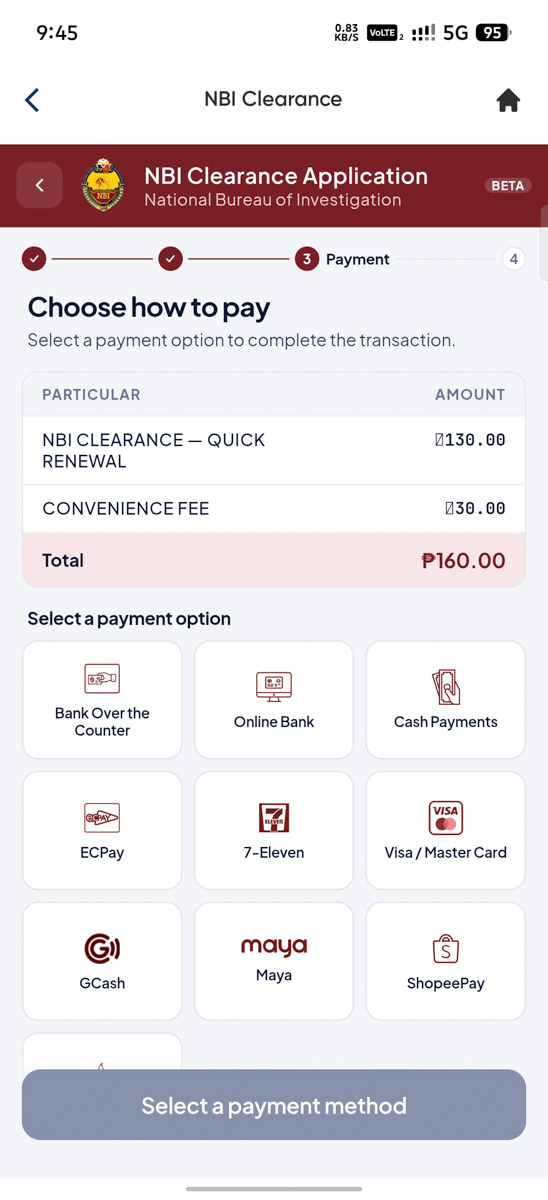
Choose your mode of payment. One of the conveniences of applying for your NBI Clearance via the eGovPH app is that you are given different options on how to pay for it. Just choose what payment method is the most convenient for you.
Wait for the confirmation of your application. Once you’ve paid for the fees, the eGovPH app will confirm your application. From here, you can proceed to the NBI Clearance Center you chose for your appearance.